Pentest management, without the overhead
Pentographer is an open-source platform for managing security assessments: findings, playbooks, evidence, and client reports, with AI assistance built in.
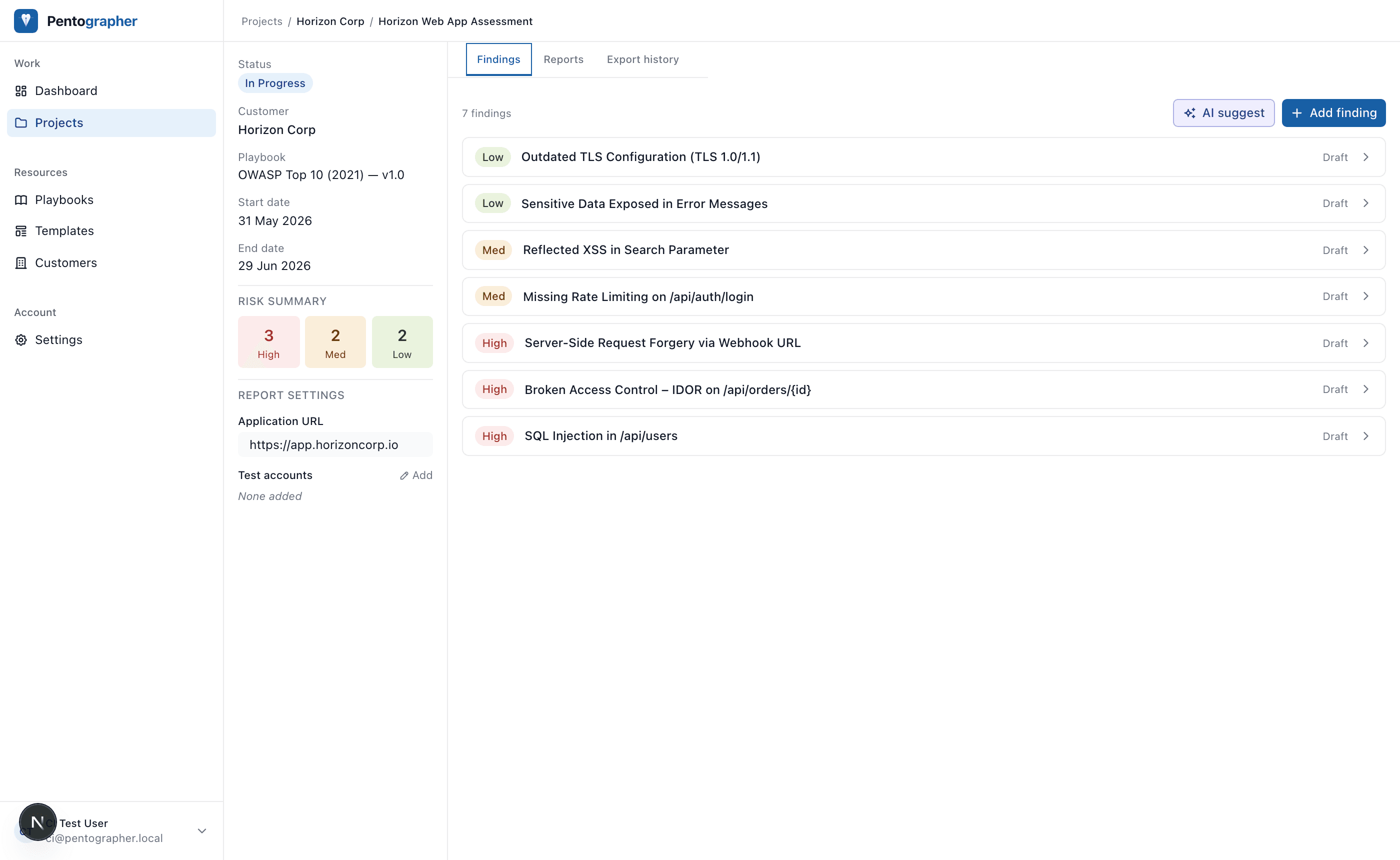
Great pentesters write bad reports
Not because they lack the skill. Because report writing is slow, repetitive work that pulls time away from the actual testing.
Pentographer automates that grind. Drop in a screenshot and get a written finding. Fill in your notes and get a polished report. Your data stays on your own infrastructure. Your workflow stays yours.
Everything you need
Built for the full engagement lifecycle, from scoping to final report.
Finding management
Track vulnerabilities with rich descriptions, CVSS scores, evidence screenshots, and a full version history.
Playbooks
Define structured test checklists per engagement type. Link findings directly to checklist items for traceability.
AI-assisted drafting
Turn tester notes and screenshots into polished finding descriptions and remediation guidance using Claude.
Report generation
Export professional Word and PDF reports from a customisable template, with executive summary and full finding details included.
MCP server
Expose your pentest data to AI agents via the Model Context Protocol. Query projects, findings, and playbooks programmatically.
Team workspaces
Invite your team into a shared workspace. Owner, admin, member, and viewer roles keep permissions tight across every engagement.
Self-hosted
Your findings never leave your infrastructure. Deploy with Docker or run it locally with full control over your data.
How it works
Three steps from kickoff to delivery.
Create a project
Add a customer, assign a playbook, and invite your team.
Document findings
Log vulnerabilities, attach evidence, and let AI draft the write-ups.
Export the report
Generate a branded, client-ready report in one click.
Prefer to self-host?
Run Pentographer on your own infrastructure. Requires Node.js 20+ and PostgreSQL.
$ git clone https://github.com/lswartsenburg/pentographer
$ cd pentographer
$ cp .env.example .env.local

# Set DATABASE_URL, NEXTAUTH_SECRET, ANTHROPIC_API_KEY

$ pnpm install
$ pnpm db:migrate
$ pnpm dev

# http://localhost:3000
See the README for full setup instructions including environment variables and AI configuration.